
Docs · Guide
Edit or delete one ledger row
Fix a typo in a buy or sell, or remove a row you entered by mistake.
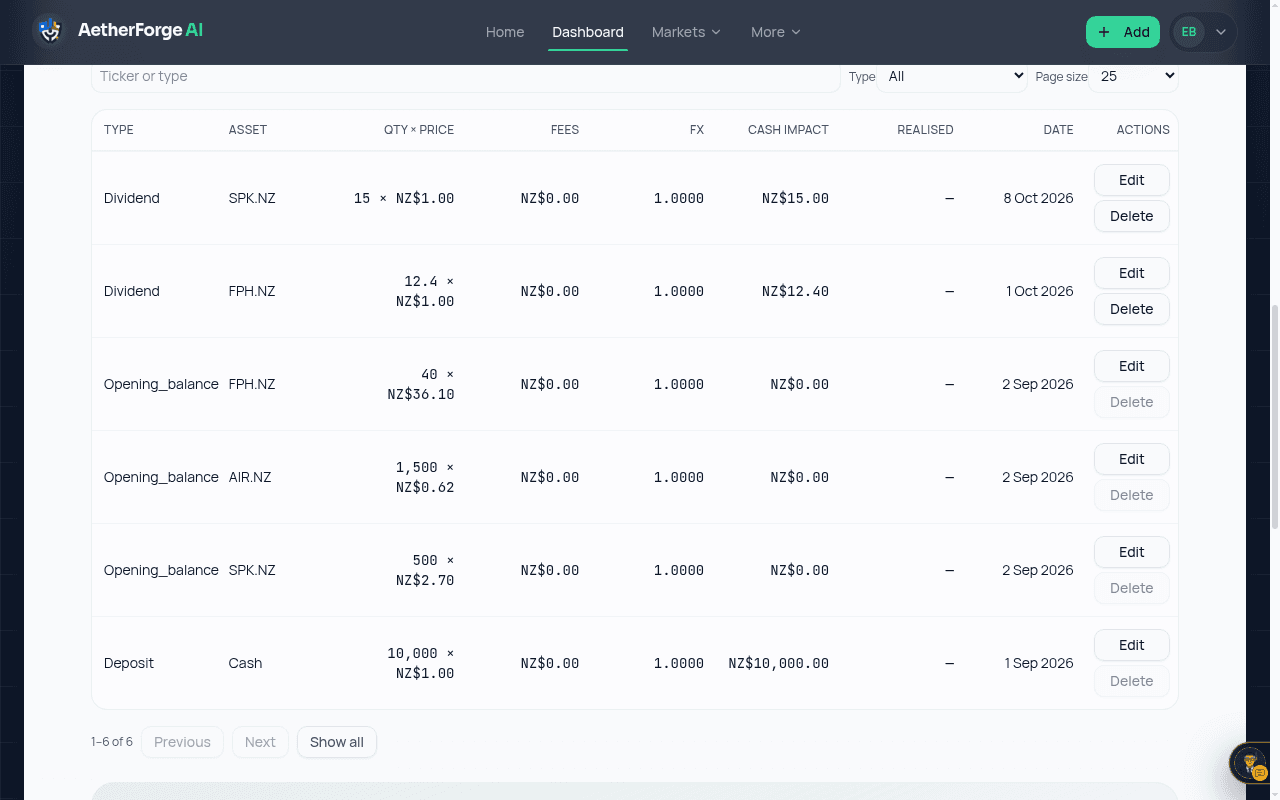
- Open the Transactions tab on the dashboard.
- Choose Edit on a buy or sell to change its quantity, price or fees, or Delete to remove it.
- Read the confirmation. Cash, the holding and FIFO gains are worked out again from the changed ledger.
- If a later sell would need more units than you would hold, the change is refused and nothing is written.
General information only, not financial advice.